
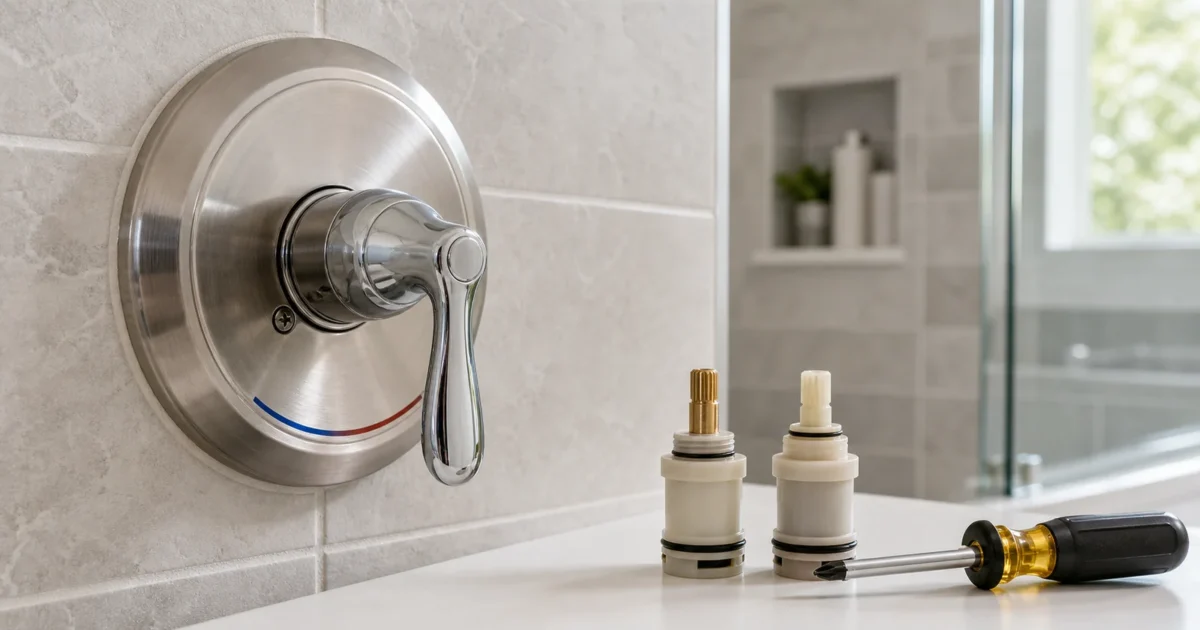
How to Identify Your Moen Shower Valve: Cartridge Family and Series [2026]
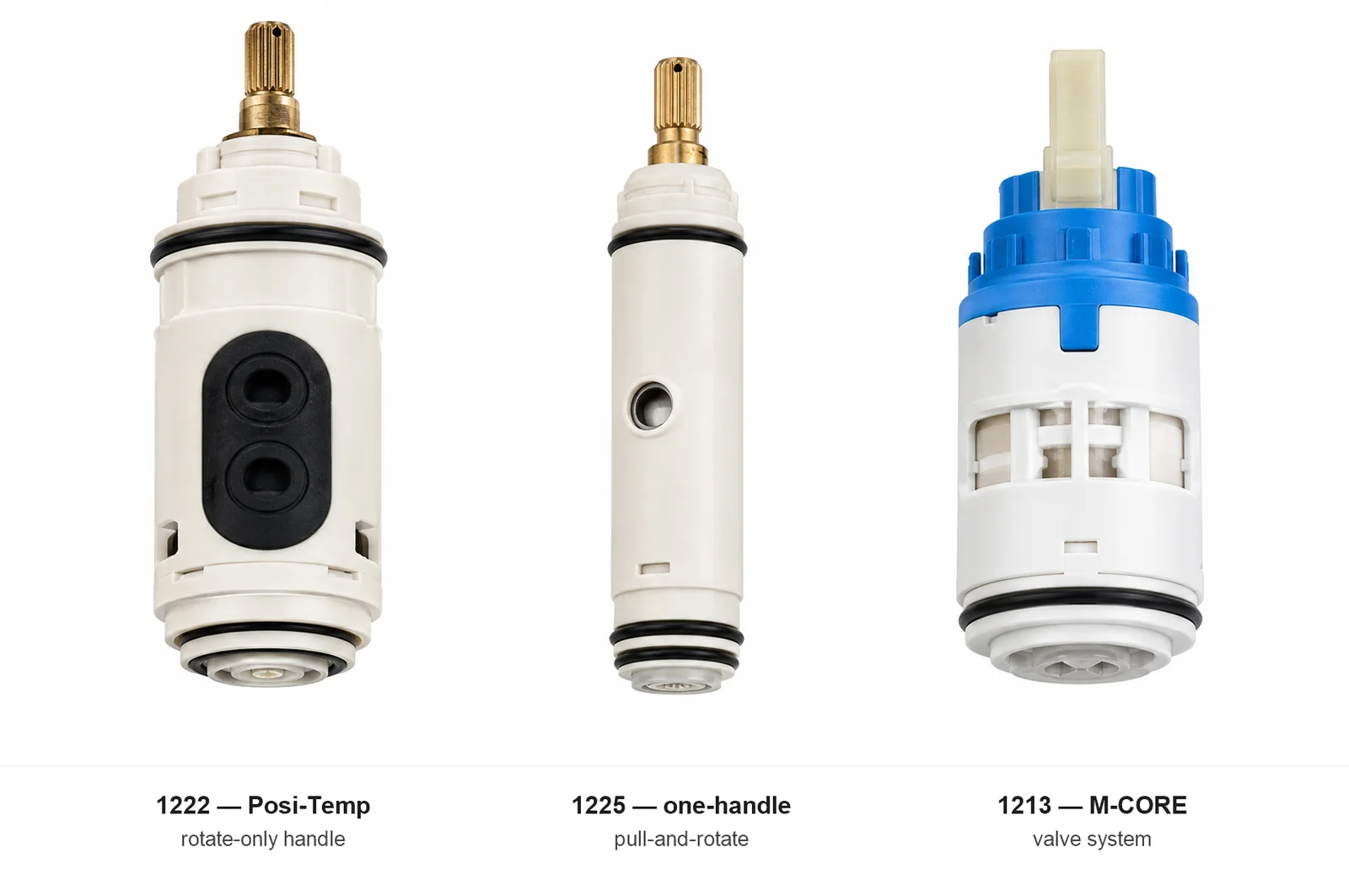
Knowing how to identify your Moen shower valve before you buy any cartridge is the most important step in a Moen shower repair — and the brand makes it easier than you’d think once you know where to look. A Posi-Temp valve, a standard one-handle, and an M-CORE valve can look nearly identical from the front but take three completely different cartridges: the 1222, 1225, and 1213 respectively. Order the wrong one and you’re waiting on a second delivery or making another hardware run while the shower stays out of service.
The identification breaks into a clear priority order: start with the paper trail (original box, instruction sheet, model number), then move to the handle’s physical behavior, then use Moen’s online tools, and — only as a last resort — remove the handle and read the cartridge directly.
| Valve family | Handle action | Cartridge | Notes |
|---|---|---|---|
| Posi-Temp | Rotate only — no push/pull | 1222 | Most common Moen shower in homes since the 1990s |
| One-handle (non-Posi-Temp) | Pull out, then rotate | 1225 | Older one-handle Moen configuration |
| M-CORE | See trim label or paperwork | 1213 | Current Moen valve system — do not substitute 1222 or 1225 |
| ExactTemp / U by Moen digital | Wall controller | Paired model numbers | Requires both controller and valve model numbers |
Matched your Moen valve family above? Confirm the cartridge number against your own valve before you buy — the 1222, 1225 and 1213 are not interchangeable:
As an Amazon Associate, plumbingbythebook earns from qualifying purchases. Links below are affiliate links — they cost you nothing extra.
- Moen 1222 Posi-Temp Replacement Cartridge
- Moen 1225 One-Handle Replacement Cartridge
- Moen 1213 M-CORE Replacement Cartridge
Not sure which part you have? The faucet & valve finder narrows it to the exact part in a few questions.
This guide walks through four identification methods in order from easiest (no tools, no water shutoff) to last resort (handle removed, cartridge inspected). Use the first method that yields a confirmed part number and stop there.
How to Identify Your Moen Shower Valve: Start With the Logo
The first check costs nothing. Scan the handle cap, handle face, escutcheon plate, showerhead, and tub spout for a visible Moen wordmark — spelled out as “Moen.” Moen puts its brand name on finished trim surfaces, and a legible Moen logo on any of those surfaces confirms the brand (Moen Parts).
The logo confirms the brand but not the cartridge family. Moen sells trim, cartridges, and rough valves as separate components — a Moen-branded escutcheon does not tell you whether the behind-wall valve takes a 1222, 1225, or 1213. The trim collection and the valve cartridge are independent; a homeowner who bought new trim without replacing the valve body might have a current Moen handle on top of a 1990s cartridge. Treat the logo as the first clue, not the final answer.
If no Moen logo appears on any exposed surface — which happens with older trims, worn finishes, or builder-grade installations — the valve could still be Moen. Move to the model number trail before assuming it’s a different brand.
Method 1: Find the Model Number on the Box or Instruction Sheet
Moen’s own parts workflow starts here. Moen says the best way to identify a replacement part is to locate the product’s model number, then access the product page and its “Exploded Parts View” PDF to identify the correct replacement (Moen Parts).
Look in two places:
The original packaging. Moen says products installed by a builder or plumber may have the model number on the UPC label on the side of the Moen package, and retail purchases also list the model number on the box side (Moen Parts). If the shower was recently installed or the box was kept, this is the fastest path.
The instruction sheet. Moen says the instruction sheet is another model-number source when the box is gone (Moen Parts). Homeowners often fold the instruction sheet and leave it in the vanity, in the original product bag, or tucked behind the valve access panel if the home has one.
Once you have the model number, enter it into Moen’s Product Finder at moen.com/parts or work through Moen’s “Identify My Product” Q&A tool on the same page. Moen’s website generally covers products installed since approximately 2011; for older Moen showers, call Moen Customer Support at 1-800-BUY-MOEN directly (Moen Parts).
Method 2: Read the Handle Action — Posi-Temp vs. One-Handle vs. M-CORE
If the paperwork is gone, the handle’s physical behavior is the fastest homeowner-level Moen clue — and it’s accurate for the two most common Moen shower configurations without removing anything.
Rotate only → Posi-Temp → 1222 cartridge. Try to pull the handle straight out from the wall. A Moen Posi-Temp shower handle does not pull out — it only rotates from cold to hot. Moen’s 1222 product page identifies it as a “Single-handle Replacement Cartridge, Posi-temp,” and the 1222 instruction sheet covers the hot/cold orientation, cartridge installation, and temperature-limit setting details specific to this cartridge family (Moen 1222, Moen 1222 instruction sheet).
Pull out, then rotate → likely 1225 family. An older Moen one-handle shower that allows a pull-out motion before rotating — where the handle comes toward you before you can turn it — typically points to the 1200/1225 cartridge family. Moen labels the 1225 as “Moen One-handle Replacement Cartridge,” and the 1200/1225 instruction sheet covers removal, reassembly, and hot/cold reversal for this valve family (Moen 1225, Moen 1200/1225 instruction sheet).
M-CORE trim or documentation → 1213 cartridge. If the trim plate, packaging, or installation paperwork says “M-CORE,” the cartridge is the 1213. Moen describes M-CORE as a newer valve system designed for simpler installation with shower-system functionality and style flexibility (Moen 1213). The 1213 is not interchangeable with the 1222 or 1225 — do not substitute.
Separate volume and temperature controls → different valve family. If the shower trim has two distinct controls — one for on/off volume and a separate one for temperature — this is likely Moen’s Thermostatic, ExactTemp, or U by Moen digital system, not a single-cartridge Posi-Temp or one-handle configuration. Moen’s U by Moen digital shower controller guide pairs controller model TS3302 with valve S3102 and controller TS3304 with valve S3104 — meaning both the controller model and the valve model matter for parts identification (U by Moen installation guide). Start with the trim paperwork or call Moen support with photos of the controller.
Method 3: Use Moen’s Online Lookup Tools
Once you have a model number — or a strong cartridge family hypothesis from the handle action — Moen’s online tools confirm the correct part before you spend anything.
Moen Product Finder. Enter the model number at moen.com/parts. Moen routes the search to the product detail page, where the “Exploded Parts View” PDF lists every replaceable component with Moen part numbers (Moen Parts). For a shower cartridge replacement, find the cartridge line in that exploded view — that part number is what to order.
“Identify My Product” Q&A tool. If you don’t have a model number but you know it’s a Moen shower, Moen offers a guided question path at the same page. It narrows down by product type, room, description, and appearance to reach a matching model and its parts list (Moen Parts).
Coverage note. Moen’s website product information generally covers products installed since approximately 2011 (Moen Parts). Showers from the 1980s or early 1990s may not return results — the fallback is Moen Customer Support at 1-800-BUY-MOEN, which handles legacy products.
Before ordering anything, confirm your exact Moen cartridge part number with our free Repair Finder — it takes less than a minute and prevents a second hardware run.
Method 4: Remove the Handle and Read the Cartridge
If the above methods haven’t confirmed the cartridge family, removing the handle and reading the cartridge directly is the last resort. This step requires a water shutoff.
Turn off the water first — every time. Moen’s 1222 instruction sheet warns to turn off the water supply before removing the handle or disassembling the valve, and to open the faucet handle to relieve pressure before any further disassembly (Moen 1222 instruction sheet). The 1200/1225 instruction sheet gives the same warning (Moen 1200/1225 instruction sheet). An open valve under live pressure can push water into the wall cavity fast.
What to photograph before and after. Moen’s own parts-identification process depends on matching the cartridge to the correct product page and exploded parts diagram — which means you need a clear visual record (Moen Parts). Before removing anything, photograph: the installed trim from the front, the escutcheon from the side, the handle set screw, the stem after trim removal, the cartridge face, the cartridge side, the retaining clip position, and any stamped marks on the valve body casting.
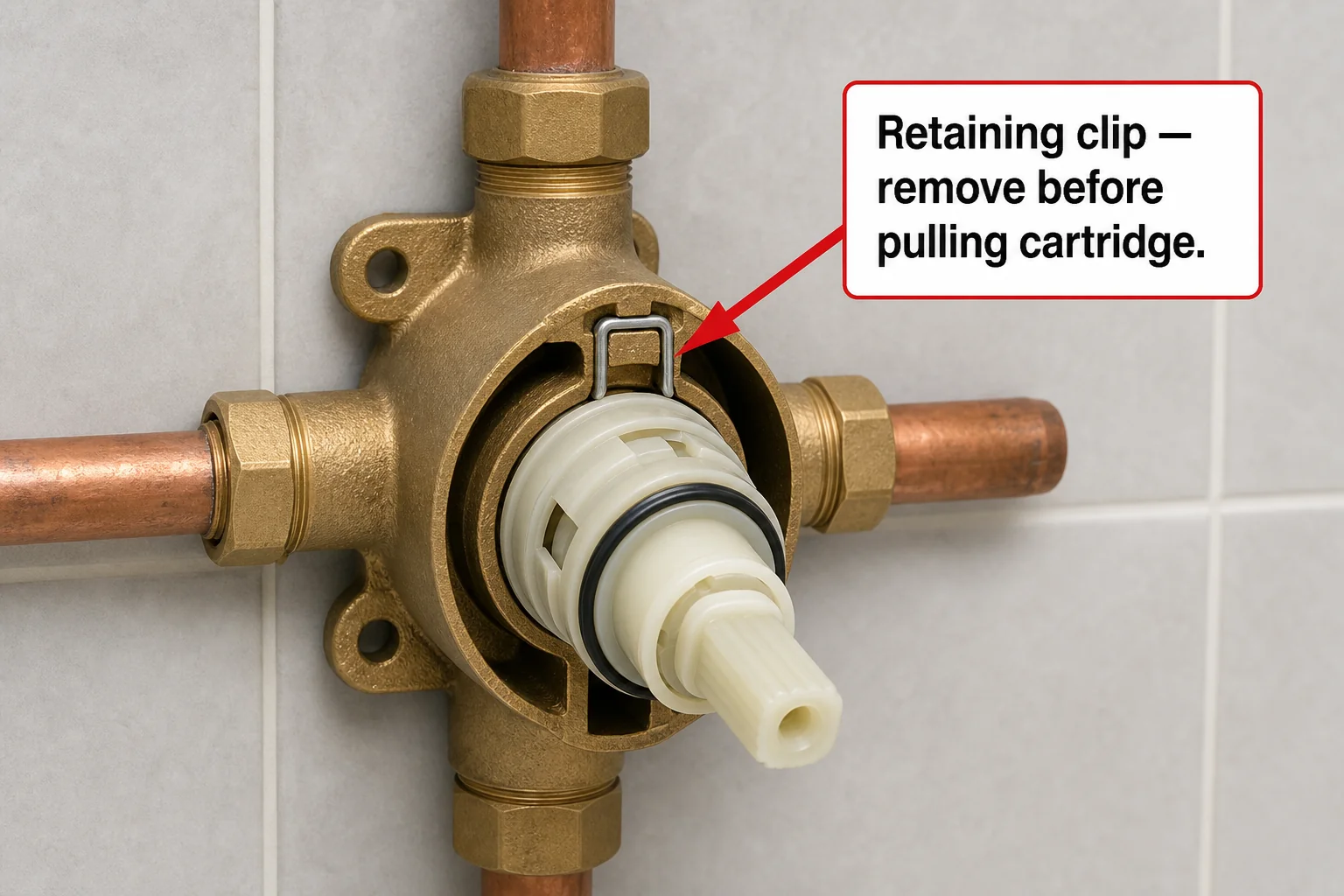
The retaining clip. Moen cartridges in the 1222 and 1225 families use a retaining clip — a small U-shaped or C-shaped clip — that holds the cartridge in the valve body. The clip must come out before the cartridge can be pulled. Moen’s 1222 and 1225 instruction sheets show the correct clip positions and hot/cold orientation for each cartridge; note the orientation in your photo before removal so you can reinstall the new cartridge correctly (Moen 1222 instruction sheet, Moen 1200/1225 instruction sheet).
The 1222 and 1225 cartridge stems are different shapes — they are not interchangeable and the difference is visible when you hold them side by side. If you can photograph the removed cartridge next to the replacement candidate at the hardware store, that comparison is the most reliable cross-check.
How to Identify Your Moen Shower Valve: The Quick Decision Tree
Use this sequence to reach the correct cartridge without guessing:
- Have the original box or instruction sheet? → Find the model number → Enter it in Moen’s Product Finder at moen.com/parts → Read the Exploded Parts View for the exact cartridge part number. Done.
- No paperwork, but have a Moen logo on the trim? → Test the handle action: – Rotate only (no pull-out) = Posi-Temp = 1222 cartridge – Pull out, then rotate = older one-handle = 1225 cartridge – Trim says “M-CORE” = 1213 cartridge
- Separate volume and temperature controls on the trim? → This is likely a thermostatic or digital system. Read the controller model and valve model from the documentation; call Moen support at 1-800-BUY-MOEN with both numbers.
- Online tools show no results? → Shower is likely pre-2011; call 1-800-BUY-MOEN with photos.
- Still unsure after all of the above? → Remove the handle (after water shutoff), photograph the cartridge, and bring the photos to a Moen-stocking plumbing supply or hardware store before buying.
- Can’t confidently identify the cartridge by any method? → A plumber visit for a visual ID is often less expensive than buying the wrong cartridge twice and waiting on shipping both times.
If you’re working on a Delta shower instead, our guide on how to identify your Delta shower valve covers the generation-based cartridge split (pre- and post-March 2006) that Delta showers use — a different identification logic from Moen’s handle-action approach.
What to Do When You Still Can’t Identify the Valve
If the logo, packaging, handle action, and online tools all fail, build a comprehensive photo package before calling anyone.
Photograph every accessible surface: the full shower wall, the handle from the front, the escutcheon from the side, the showerhead neck, the tub spout underside (if applicable), any visible logo or stamped mark, the handle set screw, the valve area after trim removal, the cartridge face, the cartridge side, the retaining clip, and any casting marks on the valve body. This is the same photo-first workflow Kohler’s support documentation recommends for its KOHLER Scout photo-identification path — and it works equally well when calling Moen support for legacy valve identification (Kohler Service Parts).
Send the photo set to Moen Customer Support at 1-800-BUY-MOEN. Moen routes older-product cases to support rather than the website because online product coverage stops at approximately 2011 (Moen Parts).
On universal and aftermarket cartridges. Moen structures its parts page around genuine Moen replacement parts with product-specific exploded parts views (Moen Parts). Pfister similarly notes that warranty-covered product parts should go through manufacturer customer service before retail channels (Pfister Replacement Parts). A Delta homeowner Q&A also records a case where an aftermarket cartridge failed to seat properly while the OEM Delta part fit correctly — an anecdotal caution that applies across brands (Delta RP19804). Buy OEM unless you can confirm the aftermarket part matches the exact stem profile of the cartridge you removed.
When to Call a Plumber
The identification process itself can require steps that go beyond what a casual homeowner should attempt alone — water shutoff, trim removal, cartridge extraction, and inspection behind the escutcheon. Moen’s own instruction sheets make this boundary clear: both the 1222 and 1225 sheets begin with explicit water-shutoff and pressure-relief steps before any disassembly (Moen 1222 instruction sheet, Moen 1200/1225 instruction sheet).
Call a plumber when:
- You cannot locate or are unsure about the water shutoff for the shower circuit
- The handle is corroded, seized, or the set screw is stripped and won’t back out
- The cartridge retaining clip is inaccessible or the cartridge won’t move with hand pressure
- You have a U by Moen, ExactTemp, or other digital system where the controller and valve model pairing is unclear
- The shower needs a full rough-valve replacement — not just a cartridge swap — because a seized or cracked valve body changes the scope significantly
For cost context: HomeAdvisor’s 2026 plumber cost data shows professional service calls commonly ranging from $100 to $250 for the first hour, with hourly rates from $45 to $200 and trip fees from $50 to $300 depending on market and scheduling (HomeAdvisor plumber cost). A one-hour identification-and-cartridge visit will typically land in the $150–$300 range after parts in most U.S. markets — often less than making two wrong-cartridge purchases while the shower is out of service.
What’s Next
Once you’ve confirmed your Moen cartridge family, the repair itself is straightforward:
- Posi-Temp (1222): You’ll need Moen’s 1222 cartridge and Moen’s cartridge puller tool — Moen recommends the puller because the 1222 seats tightly and is difficult to extract by hand. Follow Moen’s 1222 instruction sheet for hot/cold orientation and temperature-limit setting.
- One-handle (1225): See our step-by-step guide on how to replace a Moen 1225 cartridge — the procedure covers removal, retaining-clip handling, and the hot/cold check before you close the wall.
- M-CORE (1213): Follow Moen’s M-CORE installation documentation from the 1213 product page. Do not substitute a 1222 or 1225.
- Other brands in the cluster: For the same identification workflow applied to other shower brands, see our guides on Delta, Symmons, Grohe, and Gerber shower valves.
You can also use our free Repair Finder to confirm the exact replacement cartridge part number — paste in the model number or answer a few questions and the tool maps it to the right Moen part number before you buy.
How do I know if I have a Moen Posi-Temp shower valve?
Try pulling the handle straight out from the wall. A Posi-Temp handle does not pull out — it only rotates from cold to hot. If the handle stays flush and only turns, that is a Posi-Temp valve and it takes the 1222 cartridge. If the handle pulls toward you before rotating, that is likely an older one-handle Moen that uses the 1225 cartridge.
What is the difference between the Moen 1222 and 1225 cartridges?
The 1222 is the Posi-Temp cartridge for rotate-only single-handle showers. The 1225 is the cartridge for older one-handle Moen shower valves that allow a pull-out motion. The two cartridges have different stem profiles — they are not interchangeable and will not fit each other’s valve bodies.
My Moen shower is more than 15 years old — can I still find a replacement cartridge?
Yes. Moen’s lifetime limited warranty on cartridges means genuine replacement cartridges are available for older valve families. The 1222 and 1225 have been in production for decades. If Moen’s website returns no results (it covers products back to approximately 2011), call 1-800-BUY-MOEN with photos of the valve and cartridge.
What Moen cartridge does an M-CORE shower use?
The Moen M-CORE valve system uses the 1213 cartridge. M-CORE is a distinct valve platform from the Posi-Temp and one-handle families — the 1213 is not interchangeable with the 1222 or 1225. If the trim or paperwork says M-CORE, order the 1213.
Can I use an aftermarket Moen 1222 or 1225 cartridge?
Aftermarket options exist, but Moen’s parts page is built around genuine Moen replacement parts matched through the product page and exploded parts diagram. Homeowner reports from other brands suggest aftermarket cartridges sometimes fail to seat properly where OEM parts fit correctly. If you choose aftermarket, confirm the stem profile matches your removed cartridge exactly before installing.
What if I have a Moen shower with two separate controls — one for volume and one for temperature?
A Moen shower with separate volume and temperature controls is typically a thermostatic or digital system (ExactTemp, U by Moen) — not a single-cartridge Posi-Temp or one-handle configuration. These systems use cartridge families tied to both the controller model and valve model. Check the installation documentation or call Moen support at 1-800-BUY-MOEN with both model numbers.
Sources
- Moen Parts and Model-Number Workflow
- Moen 1222 Posi-Temp Replacement Cartridge
- Moen 1222 Installation Sheet (ins746j.pdf)
- Moen 1225 One-Handle Replacement Cartridge
- Moen 1200/1225 Installation Sheet (ins744f.pdf)
- Moen 1213 M-CORE Cartridge
- Moen 1248 Cartridge
- U by Moen Digital Shower Controller Installation Guide (ins10515a.pdf)
- Delta Find Parts and Identify Product
- Delta RP19804 Cartridge — 1300/1400 Series, pre-March 2006
- Kohler Service Parts and KOHLER Scout Photo ID
- Pfister Parts & Support
- Pfister Replacement Parts
- HomeAdvisor 2026 Plumber Cost Data
Educational content only. Not a substitute for licensed professional advice. Local plumbing codes vary by jurisdiction. Use of any guidance from this guide is at your own risk.
Get the homeowner’s plumbing repair toolkit checklist — the tools, parts, and decisions every homeowner should have on hand. [Free download — enter your email]
Parts for this repair
As an Amazon Associate, plumbingbythebook earns from qualifying purchases. Links below are affiliate links — they cost you nothing extra.
- Moen 1222 Posi-Temp Replacement Cartridge — OEM replacement cartridge for Moen Posi-Temp single-handle showers. The most common Moen shower cartridge — confirm your handle is rotate-only (no pull-out action) before ordering. Moen’s lifetime limited warranty on cartridges makes the OEM part the safe call.
- Moen 1225 One-Handle Replacement Cartridge — OEM replacement for Moen older one-handle shower valves with a pull-and-rotate handle action. Not interchangeable with the 1222 Posi-Temp cartridge — confirm the handle action before ordering.
- Moen 1213 M-CORE Replacement Cartridge — OEM cartridge for Moen M-CORE valve systems. Only for showers whose trim or paperwork specifically says M-CORE. Not a substitute for the 1222 or 1225 — the M-CORE is a distinct Moen valve platform.
Related guides
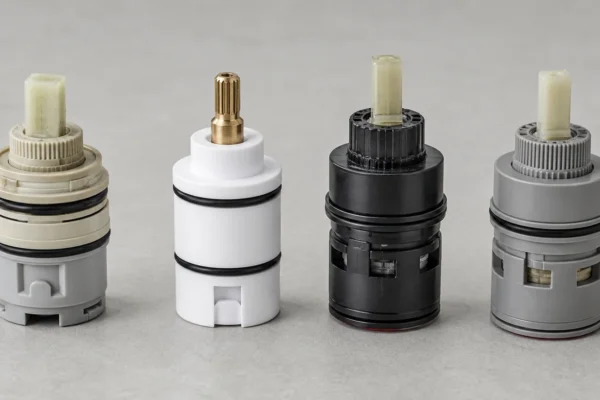
Shower Cartridge Identification Chart: Every Major Brand in One Table [2026]
Shower Cartridge Identification Chart: Every Major Brand in One Table [2026] This shower cartridge identification chart puts nine…
![Title card for the article 'Should I Repair or Replace My Shower Valve? [2026]' on Plumbing By The Book](https://plumbingbythebook.com/wp-content/uploads/2026/08/article-99-hero-should-i-repair-or-replace-my-shower-valve-600x400.webp)
Should I Repair or Replace My Shower Valve? [2026]
Should I repair or replace my shower valve? For most homeowners, the honest answer is: repair the cartridge…
How to Identify Your American Standard Shower Valve: Trim, Cartridge, and Rough-In Valve [2026]
How to identify your American Standard shower valve starts with a fact that trips up a lot of…